by admin | Aug 25, 2026 | Uncategorized, Web Design News
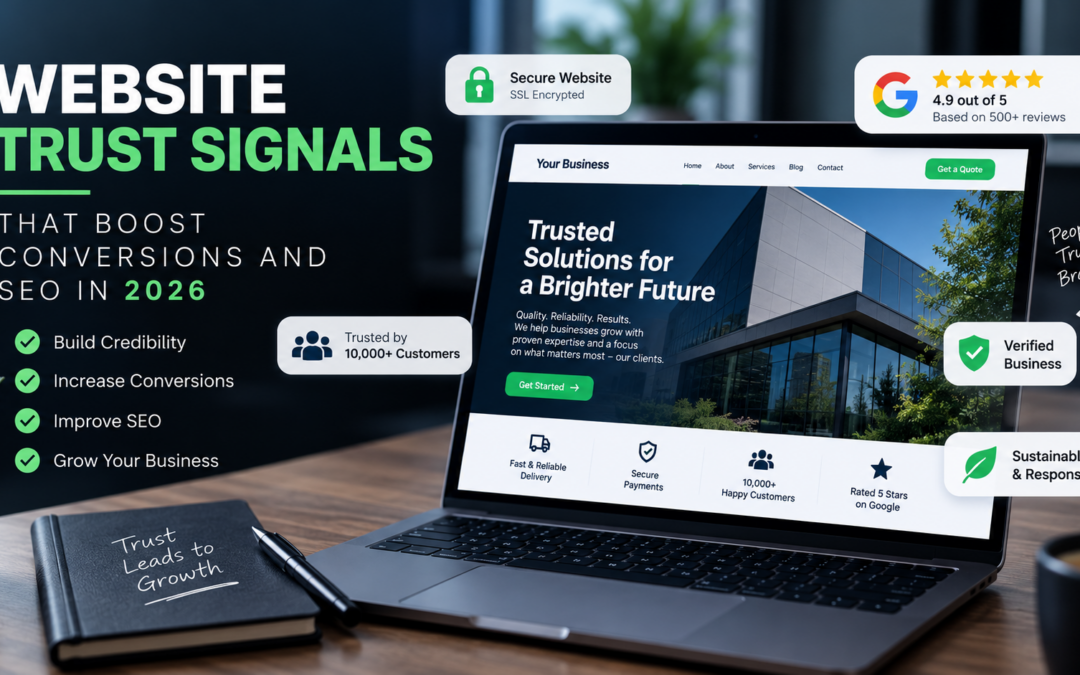
Trust is one of the most important factors influencing whether a visitor becomes a lead, customer, subscriber, or repeat buyer. In 2026, website owners need to think about trust signals as more than design details. They affect how users judge a brand, how comfortable they feel taking action, and how search engines interpret the quality and credibility of a site. For small businesses and marketers, improving trust signals can support both conversion rate optimisation and long-term SEO performance.
Why Website Trust Signals Matter in 2026
Online users are more selective than ever. Before submitting a form, booking a consultation, or buying a product, they look for signs that a business is legitimate, reliable, and easy to contact. If those signals are missing, even strong traffic can fail to convert.
Search engines also reward websites that provide helpful, transparent, and trustworthy experiences. While trust signals are not always direct ranking factors on their own, they support many areas that influence SEO, including user engagement, content quality, brand reputation, and website usability.
A trustworthy website reduces hesitation. It answers common questions, shows proof of credibility, and removes uncertainty at key decision points. The result is a smoother journey from landing page to conversion.
Clear Contact Information
One of the simplest trust signals is also one of the most overlooked: clear contact information. Visitors want to know that a real business is behind the website. A visible phone number, email address, contact form, business address, and opening hours can all help build confidence.
For local businesses, consistent contact details are especially important. Your name, address, and phone number should match across your website, Google Business Profile, directories, and social platforms. Inconsistent information can confuse customers and weaken local SEO signals.
Practical tips for better contact trust
Add contact details to your header, footer, and contact page. If you serve a specific area, include that location information naturally on relevant pages. Make sure forms are easy to use, confirmation messages are clear, and users know when to expect a response.
Secure and Professional Website Experience
A secure website is a baseline expectation. If visitors see browser warnings, broken pages, outdated layouts, or suspicious pop-ups, they are unlikely to stay. Security and professionalism directly influence how people perceive your business.
Every business website should use HTTPS, keep software updated, remove broken links, and ensure forms work correctly. These elements support both trust and technical SEO. A site that loads properly, protects user information, and feels professionally maintained is more likely to keep visitors engaged.
Design consistency also matters. Fonts, colours, spacing, images, and calls to action should feel intentional. A cluttered or outdated design can make a business appear less credible, even if the service itself is excellent.
Authentic Reviews and Testimonials
Customer reviews are among the most powerful trust signals because they provide social proof. People want to know whether others have had a positive experience before they take the next step.
For service businesses, testimonials can help explain the quality of your work, communication style, and results. For ecommerce websites, product reviews can reduce uncertainty around quality, delivery, sizing, or suitability.
Reviews should be authentic, specific, and easy to find. Avoid vague testimonials that simply say “great service” without context. Stronger testimonials explain the customer’s problem, the solution provided, and why they were satisfied.
Where to place reviews
Add testimonials to key landing pages, service pages, product pages, and checkout or enquiry areas. If you collect reviews on third-party platforms, link to those profiles where appropriate. This helps visitors verify feedback and adds credibility beyond your own website.
Detailed About Page and Brand Story
Your About page is often one of the most visited pages by users who are considering whether to trust your business. A generic About page is a missed opportunity. Instead, use it to explain who you are, what you do, who you help, and why your business exists.
For small businesses, a personal and transparent About page can be a major advantage. Introduce the founder, team members, values, experience, and approach. If relevant, include professional photos rather than relying only on stock imagery.
Search engines aim to understand the people and organisations behind websites. A clear About page supports that understanding while helping users feel more confident in your brand.
Author Bios and Content Credentials
If your website publishes guides, blog posts, advice, or industry commentary, visitors should know who created the content. Author bios help establish expertise and accountability, especially in industries where decisions involve money, health, legal issues, property, or professional services.
An effective author bio does not need to be long. It should explain the author’s role, experience, and relevant background. If multiple team members contribute content, create individual author pages where readers can see more of their work.
This is particularly useful for SEO-focused content strategies. Helpful content is stronger when it is connected to real knowledge, practical experience, and a clearly identified source.
Transparent Policies and Terms
Trust also comes from transparency. Users should be able to find your privacy policy, terms and conditions, returns policy, delivery information, cancellation policy, or booking terms without searching too hard.
For ecommerce businesses, unclear returns or delivery information can cause cart abandonment. For service businesses, unclear payment terms or cancellation rules can create friction before enquiry or booking.
Place policy links in the footer and include key details on relevant conversion pages. For example, an online shop should show delivery and returns information close to product and checkout areas. A consultancy or appointment-based business should explain booking steps clearly before the user commits.
Strong Case Studies and Portfolio Examples
Case studies and portfolio examples help potential customers understand what you can actually deliver. They are especially valuable for agencies, consultants, trades, designers, developers, and B2B service providers.
A useful case study should explain the client’s challenge, your approach, and the outcome in a way that is accurate and easy to understand. You do not need to share confidential data or make exaggerated claims. The goal is to show your process, problem-solving ability, and the type of work you handle.
For visual businesses, before-and-after examples, screenshots, project galleries, or videos can be effective. For professional services, summaries of challenges and solutions may be more appropriate.
Recognisable Payment, Checkout, and Form Signals
Conversion points need extra trust. When a visitor reaches a checkout, quote form, booking form, or download form, they are making a decision that involves personal information, money, or time.
Make forms simple and explain why you need the information requested. Avoid asking for unnecessary details. Add reassurance near the form, such as response times, secure processing messages, privacy notes, or links to relevant policies.
For ecommerce sites, show accepted payment methods clearly, explain shipping costs before the final step where possible, and avoid surprise charges. A smooth and transparent checkout experience can reduce hesitation and improve completed purchases.
High-Quality Content That Answers Real Questions
Trust is not only built through design elements. Content plays a central role. Helpful, accurate, and well-structured content shows that your business understands customer needs.
In 2026, thin pages written only to target keywords are unlikely to perform well. Small businesses should focus on answering real questions that customers ask before buying. This can include pricing considerations, service comparisons, process explanations, maintenance tips, buying guides, and common mistakes to avoid.
Strong content can improve search visibility while supporting conversions. A visitor who finds clear answers on your site is more likely to see your business as knowledgeable and reliable.
Content trust checklist
Review important pages and ask whether they clearly explain who the page is for, what problem it solves, what the next step is, and why the visitor should trust your business. Update outdated information and remove claims that cannot be supported.
Consistent Branding Across Channels
Users often interact with a business across several channels before converting. They may find you through search, visit your website, check social media, read reviews, and return later through a paid ad or email.
Consistent branding across these touchpoints helps build familiarity. Your logo, tone of voice, business description, services, contact details, and visual style should align across your website, social profiles, directory listings, email templates, and advertising campaigns.
Inconsistency can create doubt. If your website says one thing but your profiles say another, visitors may question whether the business is active or reliable.
Fast Loading and Mobile-Friendly Pages
Performance is a trust signal. Slow pages frustrate visitors and can make a website feel outdated. Mobile experience is especially important because many users research, compare, and contact businesses from their phones.
Make sure pages load quickly, buttons are easy to tap, text is readable, images are optimised, and menus are simple to use. A strong mobile experience supports SEO and makes it easier for users to convert without friction.
Small improvements can have a meaningful impact. Compress oversized images, remove unnecessary plugins, simplify page layouts, and test key conversion paths on different devices.
How to Audit Your Website Trust Signals
Start by reviewing your most important pages: homepage, service pages, product pages, About page, contact page, and checkout or enquiry forms. Look at each page from the perspective of a first-time visitor who does not know your business.
Ask whether the page clearly shows who you are, what you offer, how to contact you, why you are credible, and what the visitor should do next. Check for missing reviews, weak calls to action, outdated content, broken links, unclear policies, or poor mobile usability.
It can also help to ask customers or team members what questions they had before making a purchase or enquiry. Use those questions to improve page content and reduce uncertainty.
Final Thoughts
Website trust signals are not just cosmetic additions. They influence how visitors feel, how easily they make decisions, and how search engines understand the quality of your site. In 2026, businesses that combine transparent information, strong content, secure browsing, authentic reviews, and smooth user experience will be better positioned to convert traffic into customers.
For small businesses and marketers, the best approach is to start with the basics: make your business easy to verify, easy to contact, and easy to buy from. Trust grows when every page removes doubt and gives visitors a clear reason to take the next step.
by admin | Aug 24, 2026 | SEO News, Uncategorized
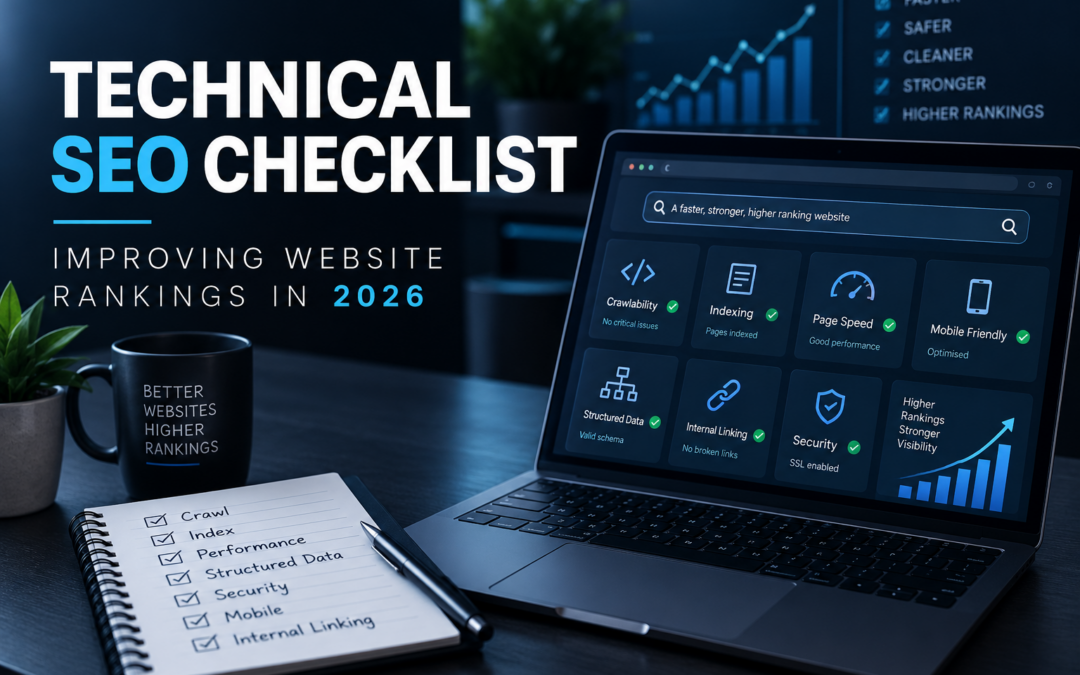
Technical SEO is the foundation that helps search engines crawl, understand, and rank your website. Even the best content can struggle to perform if pages load slowly, links are broken, indexing is mismanaged, or your site is difficult to use on mobile devices. For small businesses, marketers, and website owners, a practical technical SEO checklist can help uncover issues that quietly hold back rankings and organic traffic.
As search results continue to become more competitive in 2026, technical SEO should not be treated as a one-time project. It is an ongoing process of improving website performance, usability, crawlability, and search visibility. Use the checklist below to review your site and prioritize the updates that can have the biggest impact.
1. Check That Search Engines Can Crawl Your Website
Before your pages can rank, search engines need to be able to discover and crawl them. Crawlability issues can prevent important pages from appearing in search results, even if the content is strong.
Review Your Robots.txt File
Your robots.txt file tells search engine crawlers which areas of your site they can or cannot access. Check that you are not accidentally blocking important sections such as service pages, blog posts, product categories, or images. It is common for staging-site rules or development settings to remain in place after a website launch, so review this file carefully.
Fix Broken Internal Links
Broken links waste crawl budget and create a poor user experience. Run a crawl of your website and identify internal links that return 404 errors or redirect unnecessarily. Update broken links to point to the correct live pages, and remove links that no longer serve a purpose.
Improve Internal Linking
Internal links help search engines understand the structure of your website and the relationship between your pages. Link from relevant blog posts to key service pages, product pages, or important guides. Use descriptive anchor text that clearly explains what the linked page is about, rather than vague phrases such as “click here.”
2. Make Sure Important Pages Are Indexed
Indexing determines whether your pages can appear in search results. A page may be crawlable but still not indexed if there are technical signals telling search engines to exclude it.
Check Indexing Status
Use Google Search Console to review which pages are indexed and which are excluded. Pay attention to important landing pages, product pages, local pages, and blog content. If valuable pages are not indexed, investigate whether the issue is related to noindex tags, canonical tags, duplicate content, redirects, or low-quality content.
Use Noindex Tags Carefully
Noindex tags are useful for pages that should not appear in search results, such as thank-you pages, internal search result pages, or certain filtered pages. However, they can cause problems if applied to pages that should rank. Review your templates and plugins to ensure noindex settings are not being applied too broadly.
Submit an Accurate XML Sitemap
Your XML sitemap helps search engines discover your most important URLs. Make sure your sitemap includes only canonical, indexable pages that return a successful status code. Remove redirected pages, broken URLs, duplicate pages, and pages blocked by robots.txt. Submit the sitemap in Google Search Console and keep it updated as your site changes.
3. Improve Website Speed and Core Web Vitals
Page experience matters for both users and search performance. A slow website can increase bounce rates, reduce conversions, and make it harder for visitors to engage with your business.
Compress Images
Large image files are one of the most common causes of slow pages. Compress images before uploading them, use appropriate file formats, and avoid displaying images larger than necessary. For websites with many blog posts or product images, image optimization can make a noticeable difference.
Reduce Unnecessary Scripts
Marketing tags, tracking scripts, plugins, pop-ups, and third-party tools can slow down a website. Review the scripts running on your pages and remove anything that is no longer needed. If a plugin or tool is essential, make sure it loads efficiently and does not block the page from rendering.
Use Caching and a Reliable Hosting Setup
Caching helps pages load faster for returning visitors and reduces server strain. A reliable hosting environment is also important, especially for ecommerce websites, local business websites with booking tools, or sites with frequent traffic spikes. If your website regularly feels slow, hosting and server performance should be reviewed alongside on-page optimization.
4. Prioritize Mobile Usability
Most users now interact with websites on mobile devices, so your site needs to be easy to navigate, read, and use on smaller screens. Mobile usability is not just about design; it affects how visitors engage with your content and complete actions such as calling, booking, purchasing, or submitting a form.
Test Key Pages on Real Devices
Do not rely only on desktop previews or responsive design tools. Open your key pages on actual mobile devices and test the experience. Check whether menus work properly, buttons are easy to tap, forms are simple to complete, and text is readable without zooming.
Avoid Intrusive Elements
Pop-ups, banners, cookie notices, and chat widgets can interfere with mobile usability if they cover important content or are difficult to close. Make sure these elements do not block navigation, contact buttons, product details, or form fields.
Keep Layouts Clean and Simple
Mobile visitors often want quick answers. Use clear headings, concise paragraphs, visible calls to action, and simple navigation. A clean mobile layout helps users find what they need and encourages them to stay longer on your site.
5. Strengthen Site Architecture
A well-organized website makes it easier for search engines and users to understand your content. Good site architecture also helps distribute authority to important pages.
Use a Clear URL Structure
URLs should be short, readable, and descriptive. Avoid long strings of parameters when possible. For example, a URL that includes a clear category and page topic is easier to understand than one filled with random numbers or session IDs.
Group Related Content Logically
Organize your website into clear sections, such as services, products, locations, resources, or blog categories. If you publish content regularly, build topic clusters around important themes. This helps search engines connect related pages and can improve the visibility of your most valuable content.
Keep Important Pages Close to the Homepage
Important pages should not be buried too deeply. If users need many clicks to reach a key service or product page, search engines may also treat that page as less important. Use navigation menus, footer links, category pages, and contextual internal links to make priority pages easier to find.
6. Fix Duplicate Content and Canonical Issues
Duplicate content can confuse search engines about which version of a page should rank. This is especially common on ecommerce websites, websites with filters, and sites that use multiple URL variations.
Use Canonical Tags Correctly
A canonical tag tells search engines which version of a page is the preferred one. Check that canonical tags point to the correct final URL. Avoid pointing canonicals to redirected pages, non-indexable pages, or unrelated content.
Review HTTP, HTTPS, WWW, and Non-WWW Versions
Your website should resolve to one preferred version. For example, if your preferred version is HTTPS with “www,” all other versions should redirect to it. Inconsistent versions can create duplicate content and split signals across multiple URLs.
Control Filter and Parameter Pages
Filtered pages can create many URL variations with similar content. For ecommerce or directory-style websites, decide which filtered pages deserve to be indexed and which should be blocked, canonicalized, or noindexed. This keeps search engines focused on the pages that matter most.
7. Implement Structured Data Where Relevant
Structured data helps search engines understand specific details about your content. While it does not guarantee enhanced search results, it can improve how your pages are interpreted.
Add Schema for Key Page Types
Consider structured data for local businesses, products, reviews, FAQs, articles, events, and breadcrumbs where appropriate. Use only markup that accurately reflects visible content on the page. Misleading or irrelevant markup can create problems and should be avoided.
Validate Your Markup
After adding structured data, test it with available validation tools to check for errors or missing fields. Revisit your markup whenever templates, plugins, or page layouts change.
8. Improve Security and Trust Signals
Technical SEO also includes making sure your website is secure and trustworthy. Visitors are less likely to engage with a site that triggers browser warnings or feels outdated.
Use HTTPS Across the Entire Site
Your website should use HTTPS on every page, not just checkout or contact pages. Check for mixed content issues, where secure pages load insecure images, scripts, or stylesheets. Mixed content can cause browser warnings and reduce user confidence.
Keep Software and Plugins Updated
Outdated themes, plugins, and content management systems can create performance and security issues. Maintain a regular update schedule, back up your website before major updates, and remove plugins you no longer use.
9. Monitor Redirects and 404 Errors
Redirects are a normal part of website maintenance, but poor redirect management can slow down crawling and frustrate users.
Use 301 Redirects for Moved Pages
When a page permanently moves, use a 301 redirect to send users and search engines to the new location. This is especially important during redesigns, domain changes, URL restructuring, or content consolidation.
Avoid Redirect Chains
A redirect chain happens when one URL redirects to another, which then redirects again. These chains slow down page loading and make crawling less efficient. Update old redirects so they point directly to the final destination.
Create a Helpful 404 Page
A custom 404 page should help users recover when they land on a missing page. Include links to popular sections, a search option, or a clear path back to your homepage. This improves usability and can reduce lost traffic.
10. Track Technical SEO Regularly
Technical SEO is not something to check once and forget. Websites change over time as new pages are added, plugins are installed, campaigns launch, and old content is removed.
Schedule Routine Audits
Run a technical SEO audit at least periodically, especially after major website updates. Check crawl errors, indexing changes, speed issues, mobile usability, sitemap accuracy, and structured data errors. Small issues are easier to fix before they become larger problems.
Use Search Console Data
Google Search Console can reveal indexing issues, page experience concerns, sitemap problems, and search performance trends. Review the data consistently and investigate sudden drops in impressions, clicks, or indexed pages.
Document Website Changes
Keep a simple record of major changes such as redesigns, URL updates, plugin installations, content pruning, or hosting migrations. Documentation makes it easier to connect technical changes with ranking or traffic shifts.
Final Thoughts
A strong technical SEO foundation helps your content, products, and services perform better in search. For small businesses and website owners, the most important step is to focus on practical improvements: make your site crawlable, indexable, fast, mobile-friendly, secure, and easy to navigate.
By reviewing this checklist regularly, you can prevent technical problems from limiting your rankings and create a better experience for both search engines and visitors. In 2026, websites that combine useful content with clean technical execution will be better positioned to compete for organic visibility.

by admin | Aug 19, 2026 | PPC News, Uncategorized
Google Ads can be one of the fastest ways to generate leads, sales, calls, and website traffic, but it can also waste budget quickly when campaigns are not structured or monitored properly. In 2026, small businesses and marketers need to be especially careful with targeting, match types, landing pages, tracking, and automation settings. The platform offers powerful tools, but those tools need clear direction. Here are the most common Google Ads mistakes that drain PPC budgets and how to fix them.
Using Broad Targeting Without Enough Control
One of the biggest budget-wasting mistakes is targeting too widely. Many advertisers launch campaigns with broad keywords, large geographic areas, and minimal audience refinement. This can cause ads to appear for searches that are only loosely related to the business.
For example, a local plumbing company may want emergency plumbing leads in one city, but a poorly configured campaign could show ads to people searching for plumbing jobs, DIY repair guides, or services outside the company’s service area.
How to fix it
Review your campaign targeting carefully before increasing spend. Use location targeting that matches your actual service area, not just places where people show interest. If you are a local business, check whether your ads are targeting people “in” your chosen locations rather than people merely “interested in” them.
Segment campaigns by service, product type, or location where possible. This gives you more control over budgets, ads, keywords, and landing pages. A campaign for high-value services should not share the same structure as a campaign for low-margin or informational searches.
Ignoring Search Terms Reports
Keywords are what you bid on, but search terms are what people actually type into Google. Many advertisers make the mistake of setting up campaigns and rarely checking the search terms report. This is where wasted spend often hides.
You may discover that your ads are appearing for irrelevant phrases, competitor research, job seekers, free resources, or searches from users who are not ready to buy. If these terms are not managed, the campaign keeps spending on traffic that is unlikely to convert.
How to fix it
Check search terms regularly, especially during the first few weeks of a campaign. Add irrelevant queries as negative keywords. For example, terms like “free,” “jobs,” “salary,” “template,” “course,” or “DIY” may be poor fits for many service-based campaigns, depending on your goals.
Create a shared negative keyword list for common exclusions and apply it across relevant campaigns. This is especially useful for businesses running multiple campaigns in similar categories.
Sending Paid Traffic to Weak Landing Pages
Even a well-built Google Ads campaign can waste money if the landing page does not support the visitor’s intent. Sending users to a generic homepage is often less effective than sending them to a focused page that matches the ad and keyword.
A user who clicks an ad for “commercial roof repair” expects to land on a page about commercial roof repair, not a general roofing homepage with multiple unrelated services. When the message is unclear, visitors leave, and the click cost is wasted.
How to fix it
Create landing pages that match the campaign theme. The page should clearly explain the offer, service, location, benefits, process, and next step. Include visible calls to action such as phone numbers, quote forms, booking buttons, or contact links.
Make sure the landing page loads quickly, works well on mobile devices, and removes unnecessary distractions. A simple, focused page often performs better than a cluttered page with too many choices.
Not Tracking Conversions Correctly
Running Google Ads without reliable conversion tracking is like spending money without knowing what worked. Many advertisers track clicks but fail to track form submissions, phone calls, purchases, booking requests, newsletter signups, or other meaningful actions.
Another common problem is tracking the wrong conversions. For example, counting every page view as a conversion can make campaign performance look better than it really is. This leads to poor optimization decisions.
How to fix it
Set up conversion tracking for actions that directly support your business goals. For lead generation, this may include completed forms, calls from ads, calls from the website, appointment bookings, and quote requests. For ecommerce, this should include purchases and revenue where appropriate.
Review your conversion settings to make sure only valuable actions are marked as primary conversions. Secondary actions can still be useful for analysis, but your main bidding decisions should be based on meaningful results.
Choosing the Wrong Bidding Strategy
Google Ads offers several bidding strategies, but choosing the wrong one can waste budget. Some advertisers switch to conversion-focused bidding before they have enough reliable conversion data. Others use manual bidding but never adjust bids based on performance.
Automated bidding can be useful, but it needs accurate tracking, realistic goals, and enough campaign history to work effectively. If the data going into the system is weak, the results can be weak too.
How to fix it
Match your bidding strategy to your campaign stage. New campaigns may need a testing period to gather data. Once you have consistent conversion tracking and enough performance history, conversion-focused bidding strategies can become more useful.
Avoid changing bid strategies too frequently. Give campaigns enough time to adjust, then review performance based on cost per lead, return on ad spend, conversion quality, and actual business outcomes.
Forgetting About Negative Keywords
Negative keywords are one of the simplest ways to protect your PPC budget, yet they are often neglected. Without them, your ads may show for searches that include your target keywords but have the wrong intent.
For example, a business selling premium office furniture may not want clicks from searches containing “used,” “cheap,” “free,” or “repair.” A law firm may want to exclude people searching for legal definitions or law school topics. Every business has different exclusions.
How to fix it
Build negative keyword lists before launching campaigns, then expand them as data comes in. Look for patterns in irrelevant traffic and add negatives at the campaign or ad group level depending on how specific they are.
Be careful not to overuse negative keywords. Adding broad negatives without reviewing context can accidentally block valuable searches. Use them thoughtfully and review performance after changes.
Using One Campaign for Everything
Many small businesses start with one campaign that includes every product, service, and location. This makes the account easier to launch but harder to manage. When everything is grouped together, budget often goes to the highest-volume searches rather than the most profitable ones.
It also becomes difficult to write relevant ads, set accurate bids, and send users to the right landing pages. A campaign covering too many topics usually produces weaker performance data.
How to fix it
Separate campaigns by major business goal, location, service category, or product group. This allows you to control budgets more effectively. If one service generates better leads, you can allocate more spend to it. If another service performs poorly, you can reduce or pause it without disrupting the rest of the account.
Within each campaign, use tightly themed ad groups. Each ad group should have keywords, ads, and landing pages that closely match each other.
Writing Generic Ad Copy
Generic ads often lead to low engagement and poor-quality clicks. If your ad says the same thing as every competitor, users have little reason to choose your business. Weak ad copy can also attract the wrong audience if it does not clearly explain what you offer.
In 2026, search results are competitive, and users compare options quickly. Your ad needs to communicate relevance, credibility, and a clear next step.
How to fix it
Write ads that match the search intent and landing page. Include the service or product name, location if relevant, and a clear benefit. Use calls to action such as “Request a Quote,” “Book a Consultation,” “Shop Online,” or “Call Today,” depending on your goal.
Test multiple headlines and descriptions. Highlight what makes your business useful, such as fast response times, specialist services, flexible appointments, local experience, or easy online booking. Only include claims you can genuinely support.
Neglecting Mobile Users
Many Google Ads clicks come from mobile devices, especially for local services, urgent needs, and quick purchases. If your website is difficult to use on a phone, you may pay for clicks that never become leads or sales.
Common mobile problems include slow pages, small buttons, hard-to-read text, long forms, pop-ups that block content, and phone numbers that are not clickable.
How to fix it
Test your ads and landing pages on a mobile device. Make sure the page loads quickly, the main message appears near the top, and users can call, submit a form, or complete a purchase without frustration.
Keep forms short where possible. Ask for the information you need to start the conversation, not every detail upfront. For local or service-based businesses, make phone calls and booking buttons easy to find.
Not Reviewing Budget Allocation
Another common mistake is setting a daily budget and leaving it unchanged for months. Campaign performance changes over time due to seasonality, competition, search behavior, website updates, and business priorities.
If you do not review budget allocation, you may keep funding campaigns that produce low-quality leads while limiting campaigns that generate better results.
How to fix it
Review spend by campaign, ad group, keyword, location, device, and conversion type. Look beyond clicks and impressions. Focus on which areas produce valuable leads, sales, or inquiries.
Move budget toward campaigns that support business goals and reduce spend on areas with poor conversion quality. If a campaign gets many leads but few become customers, investigate the search terms, ad copy, landing page, and lead qualification process.
Making Too Many Changes at Once
Optimization is important, but changing too many settings at the same time can make it difficult to understand what improved or hurt performance. Advertisers sometimes adjust keywords, bids, ads, landing pages, locations, and budgets all in one day, then struggle to interpret the results.
How to fix it
Make changes in a controlled way. Prioritize the biggest issues first, such as broken tracking, irrelevant search terms, poor landing pages, or wasted spend in the wrong locations. Record major changes so you can connect performance shifts to specific actions.
Give campaigns enough time to collect meaningful data before judging results. Some changes need more time than others, especially budget, bidding, and landing page adjustments.
Final Thoughts
Google Ads can deliver strong results for small businesses, marketers, and website owners, but only when campaigns are managed with clear goals and regular attention. The most expensive mistakes usually come from poor tracking, broad targeting, weak landing pages, irrelevant search terms, and unclear campaign structure.
To protect your PPC budget in 2026, focus on relevance, measurement, and ongoing refinement. Track the actions that matter, review search terms, use negative keywords, improve landing pages, and allocate budget based on real business value. Small improvements in these areas can make your campaigns more efficient and help every click work harder.
